By the ZoomCap team.We make ZoomCap, which appears in this article. Prices and features were checked on each vendor's own site on September 29, 2026. Where we could not test a tool ourselves, we say so. How we test
Short answer
Yes, Claude Code can make a product video: it writes the video as an HTML composition (HyperFrames with a GSAP timeline) and renders it to MP4, no video editor needed. Ours took eight versions and about four hours. The prompt pack below gets you there in two or three rounds: put the hard rules in the first prompt, hand over reference files instead of describing them, and lock the music before polishing motion. For real product footage, record it with ZoomCap (automatic zoom on clicks and typing, MP4 exported on your machine) and drop the MP4 in as a clip.
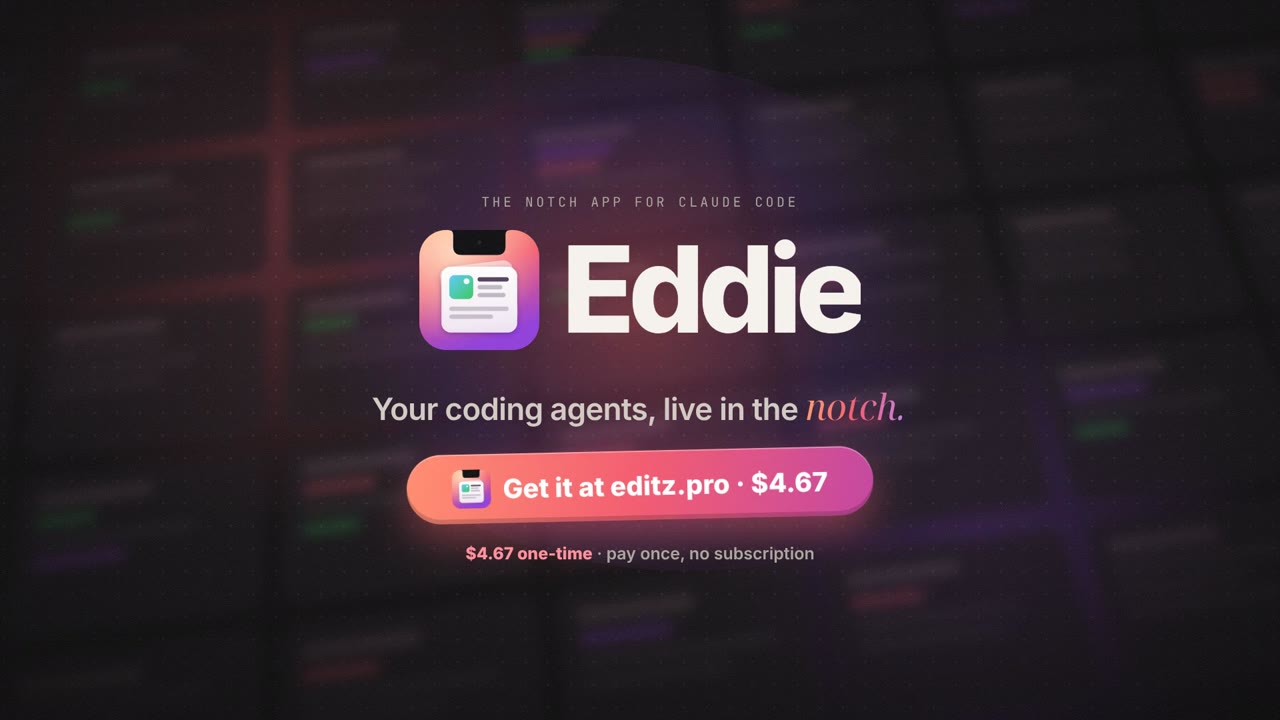
The video below was made without opening a video editor. Every frame is HTML and CSS, animated with GSAP and rendered to MP4 by HyperFrames, and every decision in it came from a prompt to Claude Code. It took eight versions. This post shows the prompts: what we actually asked, what each round changed, and the cleaned-up prompt pack that would get you to the same place in two or three rounds instead of eight.
The brief was hard in a specific way: Eddie does nine things (agent status, alerts, cost, stray processes, clipboard, notes, music, sales and a focus timer), and a stranger had to understand all of them in 20 seconds. Nothing in this workflow requires ZoomCap; where it fits is at the end.
The stack
- Claude Code wrote and revised everything: the composition, the sound design, the audio mix and the checks.
- HyperFrames, HeyGen's HTML-to-video framework. A video is one HTML file with timed clips;
checklints layout and contrast,snapshotrenders still frames andrenderwrites the MP4. We pinned the version so old cuts re-render identically. - GSAP. One paused timeline drives every animation, so any frame can be rendered exactly and in any order.
- Music: a royalty-free track plus a synthesized sound-effects layer (clicks, whooshes, chimes), mixed in Node and mastered with ffmpeg.
- ffmpeg for everything measured: cut detection on the reference video, tempo, loudness, encoding.
Everything ran locally. Nothing was uploaded to render it.
Eight versions: what we asked, what changed
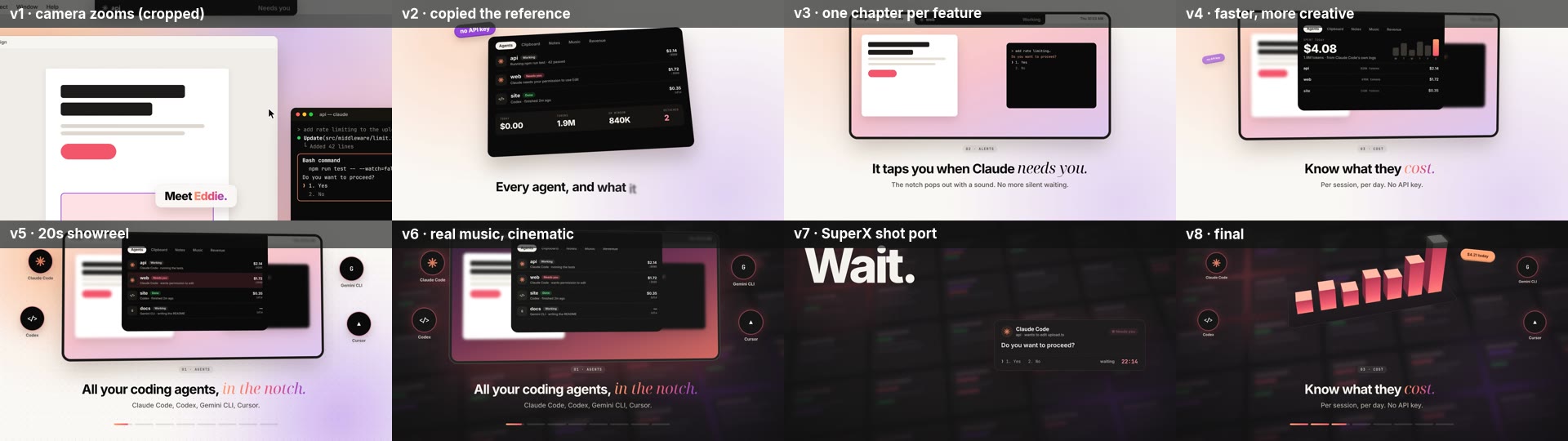
| Version | What we asked (lightly edited) | What changed |
|---|---|---|
| v1 | “Do the same promo for the notch app, in its colours.” | A mocked desktop with camera zooms. Rejected: “everything is cut off.” |
| v2 | “Make it like the last two videos in my Downloads.” | Copied the reference's pace, one floating card per shot. Rejected: “I don't understand pomodoro or revenue.” |
| v3 | “Calmly. I should understand everything. 30 seconds is fine.” | One chapter per feature on the same notch-on-a-Mac frame, a plain sentence under each. 34 s. The direction that stuck. |
| v4 | “A bit more creative and a tiny bit faster.” | 28 s. A 3D tilt per chapter, agent orbs, ripple rings, a coin burst on the sale. |
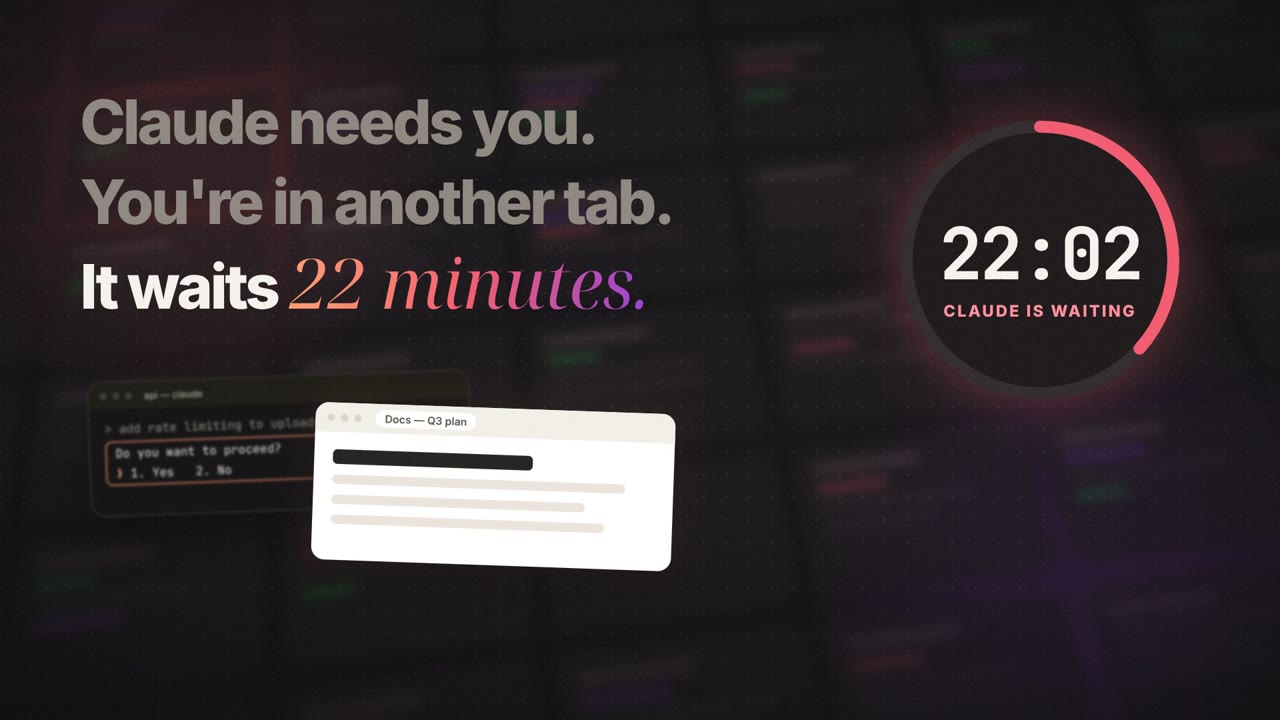
| v5 | “A 20-second showreel. Go all out.” | Masked kinetic type, a clock racing to 22:14, the notch morphing into the logo and back. |
| v6 | “Make the music much better.” Then: “Cinematic, like SuperX.” | A real track cut to the edit, dark stage, depth wall, grain, flares. |
| v7 | “We haven't used anything from SuperX?” | Ported the reference's actual shots, measured frame by frame. |
| v8 | “The opening was better before. Keep everything else.” | v6's opening with v7's later shots. Shipped. |
The pattern is plain in hindsight. The rounds that cost the most came from adjectives: like X, more creative, cinematic. The rounds that fixed things came from rules: nothing touches the frame edge, one chapter per feature, port the actual shots. So the prompt pack below puts the rules first.
The prompt pack
Seven prompts, run in order. Each one ends at a checkpoint where you look at something before moving on. Fill in the brackets.
1. The brief, with the hard rules up front
Make a 20-second 1080p60 promo video for [PRODUCT], [one line: what it is].
Audience: [who]. The one problem it solves: [the pain, in their words].
Features to show, in this order, one chapter each: [list].
Call to action: [URL · price · offer].
Brand: [colours, fonts, logo file], [light or dark].

Hard rules:
- Every feature gets its own chapter: a label, a short title with one
  accent word, and one plain sentence a stranger would understand.
- Nothing may touch or cross the frame edge. The main UI is always fully
  in frame.
- Use real product strings, numbers and prices from [path/to/repo].
  Do not invent claims.

Build it with HyperFrames on one paused GSAP timeline.
Don't render yet: show me a storyboard first.
Those three rules are the three rejections from v1 and v2, written down before they can happen. The last line matters too: a storyboard is cheap to change, a render is not.
2. Study the reference by measurement, not by eye
Here is the reference I like: [path/to/reference.mp4].
Study it frame by frame. Don't eyeball it:
- find the hard cuts with ffmpeg scdet and list their timestamps
- make 10 fps contact sheets of the opening and of every transition
- estimate the tempo and when the end card lands
List every shot as: time · what's on screen · how it enters · how it leaves.
Then map each shot to one of our chapters.
"Like this video" means these shots, not just its colours.
This is the prompt we should have sent in round six. “Cinematic like SuperX” got us the reference's mood and none of its shots. Once the reference was measured, the real choreography appeared: one giant word per beat, a counter that pops on each word, a collapse into a line of light, an iris opening onto a wall of cards, a calendar that tilts flat and grows into 3D bars.
3. The storyboard, as a table
Write the storyboard as a table:
start · duration · on screen · caption (label / title / accent / sentence)
· motion in · motion out · sound.
Budget: hook ≤ 2.5 s, logo ≈ 1.2 s, [N] chapters of 1.6–2 s, end card ≥ 2.5 s.
Flag any caption sentence longer than 8 words.
The word limit is the whole trick behind “I should understand everything” at 20 seconds. A viewer reads about eight words in the 1.7 seconds a chapter gets.
4. Build, check, and look before showing anything
Build the storyboard. After every change:
1. run hyperframes check and fix every error and layout warning
2. snapshot one frame per chapter plus the midpoint of every transition
3. look at the snapshots yourself and list anything cropped, overlapping,
   unreadable or empty, and fix it before showing me.
This loop caught a hook line running off the right edge, gold coins covering a sale badge, a letter flashing over the screen for two frames, and white text on a white card after we switched to a dark theme. None of those needed us to say a word.
5. Music that follows the edit
Use [track.mp3] as the music bed. Find the drop and the tempo by analysis
(onset autocorrelation on the bass band), then:
- offset the track so the drop lands exactly on the logo at [time]
- snap every chapter cut to the beat grid (eighth notes are fine)
- if the video is shorter than the song, splice on a beat to the song's
  final hit so the ending is musical, not a fade-out
- add a quiet sound-effects layer synced to on-screen events
  (clicks, whooshes, a chime on alerts)
- master to -14 LUFS and measure the rendered MP4, not just the WAV.
On ours the track runs at 88.5 BPM, its drop (22.16 s into the song) lands on the logo at 2.97 s, and a splice at 150.956 s puts the song's final hit exactly on the end-card logo. The last line of the prompt earned its place: one render came out 4 dB quieter than the mix for no obvious reason. We measure every render now and swap the mixed WAV back in with ffmpeg -c:v copy when it drifts.
6. A cinematic pass, named technique by technique
Make it cinematic with these specific techniques:
- a dark stage with brand-coloured glows, a vignette and light film grain
- a blurred wall of UI cards behind the hero for depth, drifting slowly
- a slow push-in or pull-out per chapter, with a motion-blur whip on each cut
- lens flares only on the three biggest hits
- one signature 3D move: [e.g. tilt the screen flat and grow the numbers
  into 3D bars]
The hero UI stays fully in frame the whole time.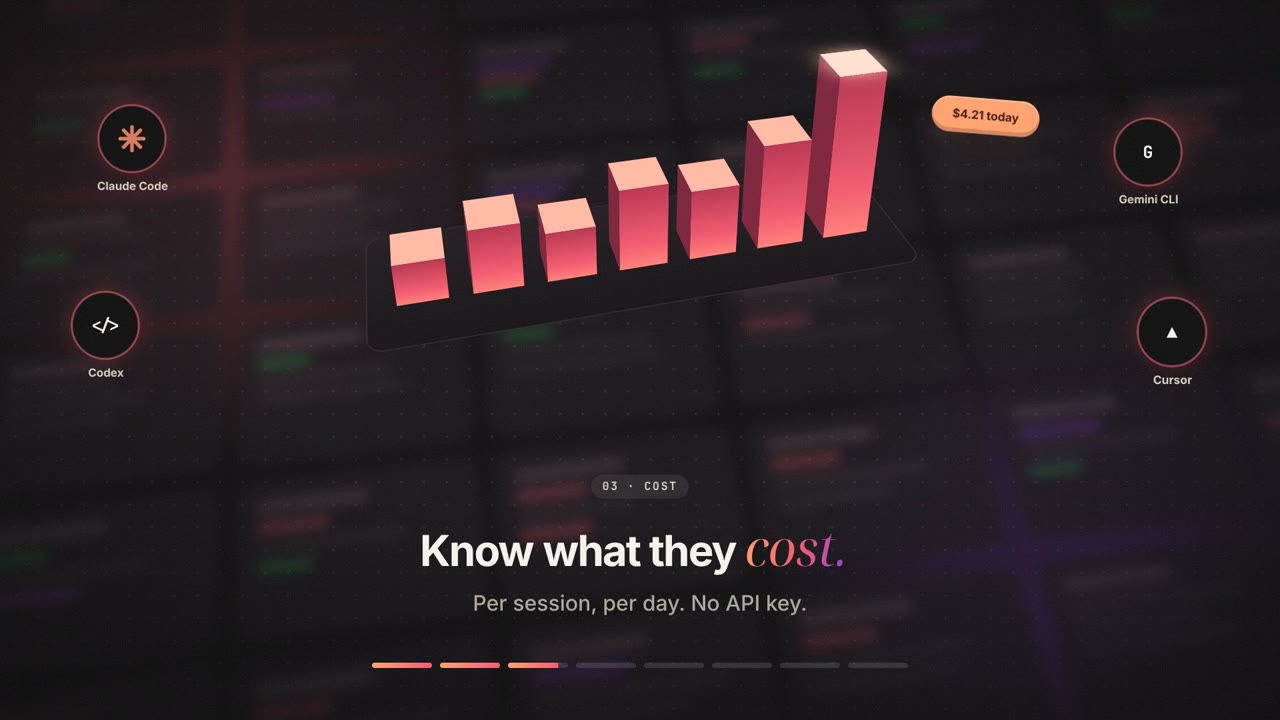
7. Feedback prompts that worked
Short, specific corrections beat “make it better” every time. These are the ones that moved the video forward:
- “Nothing may be cut off at the frame edges. Check every frame.” One sentence turned a camera-zoom concept into a layout rule the model checked on its own afterwards.
- “I don't understand what pomodoro or revenue means here. Slower is fine.” Naming the exact features that failed beat “it's confusing”.
- “A tiny bit faster.” Small, directional nudges get small, controlled changes.
- “We haven't used anything from the reference?” Forces a shot-by-shot port instead of a mood board.
- “Keep the opening from the previous version, keep everything else.” This only works because every version was saved: eight composition files, eight renders.
- “Are you compromising for space?” Our render machine was nearly out of disk and the model proposed shrinking the master. Ask it to name any quality trade-off before it makes one.
What we'd do differently
- Put the hard rules in the first prompt: frame edges, one chapter per feature, real strings only.
- Never write “like X” without the file. Hand over the reference and ask for a measured shot list.
- Lock the music and its beat grid before polishing motion. Every cut moves when the timing changes.
- Review stills at named timestamps, not impressions of a playback.
- Save every version. The easiest fix in the whole project was “go back to v6's opening”, and it was cheap because v6 still existed.
- Keep the raw master and make small copies from it. Ours is 150 MB at 1080p60 because film grain doesn't compress; the 720p copy on this page is 2 MB.
Where ZoomCap fits
Every screen in this video is a mock built in HTML, because the app hadn't been recorded yet. Most product videos want real footage for at least a few chapters, and that is the part a composition can't invent. We record those with ZoomCap: npx zoomcap record captures the screen, zooms in where you click or type, and exports an MP4 on your machine. Drop that MP4 into the composition as a clip and every prompt above still applies. If your product lives in a terminal, read how to record a terminal demo that doesn't suck first.
The ZoomCap CLI runs on macOS and Linux X11 and is part of the paid plans: $29 once or $12.49 a month. The free plan's browser recorder works in Chrome or Edge on any OS, with 2 watermarked exports a month and zooms placed by hand. There is no Windows CLI yet and no motion blur. Recordings are edited and encoded on your computer and never uploaded to us; the data flow is on our security page. If you need a free recorder with no editor, OBS works for this step; if you need motion blur, Screen Studio has it on a Mac.
Frequently asked questions
Can Claude Code make a video?
Yes, indirectly. It writes the video as an HTML composition (HyperFrames with a GSAP timeline) and renders it to MP4 from the command line. It can also check its own work: it snapshots still frames, looks at them, and measures cuts, tempo and loudness with ffmpeg.
How long did this video take?
About four hours from the first prompt to the final render, across eight versions. Each render took one to three minutes; almost all of the time went into feedback rounds, which is why the prompt pack puts the hard rules in the first message.
Do I need After Effects or Premiere?
Not for a motion-graphics promo built from UI, type and music. If your video is mostly live footage that needs cutting, a timeline editor is still the better tool; you can drop that footage into a HyperFrames composition as a clip.
How do you get the cuts to land on the music?
Analyse the track first: find the drop and the tempo, then offset the track so the drop lands on your biggest visual moment and snap every scene change to the beat grid. Lock the music before polishing motion, because every cut moves when the timing changes.
Why is the full-quality file so large?
Film grain. Random noise changes on every frame, so the encoder cannot reuse anything between frames. The 20-second 1080p60 master is about 150 MB; the 720p copy on this page is about 2 MB. Keep the raw master and make smaller copies from it.
Need the real footage for your promo? Record it free in ZoomCap's browser recorder, or get the CLI with automatic zoom and unlimited exports up to 4K for $29 once on the pricing page.